
Blog
IGET ONE 12K vs BAR PRO 10K vs S3: A Practical Range Guide


The IGET ONE 12K vs BAR PRO 10K vs S3 question comes up constantly at checkout, and for good reason: IGET model names can look similar in a product grid, but the ONE 12K, BAR PRO 10K and S3 listings are not interchangeable. The useful way to compare them is to separate the questions: do you want an all-in-one listing or the S3 device-and-pod format, which flavours are actually listed now, and whether the selected option is available when you are ready to order?
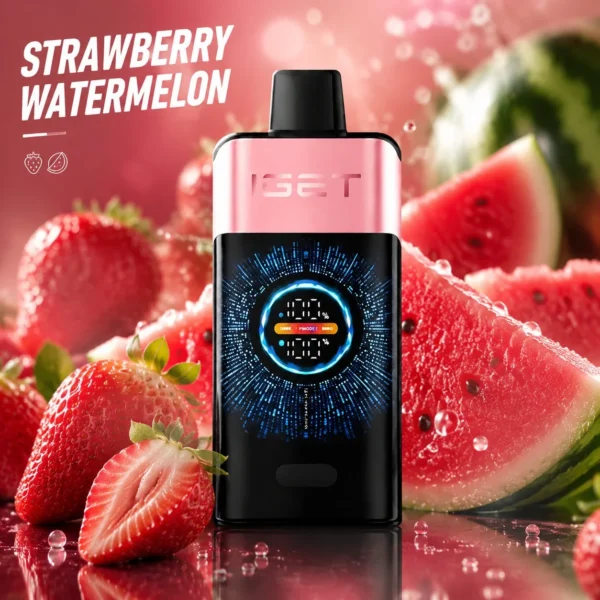
Halo E-Vape keeps each main range on a dedicated product page instead of creating a thin page for every flavour. That gives you one place to see the current selector, live price and stock state. It also reduces the chance of comparing an old search result with a current listing. This guide explains the range structure without pretending an advertised puff number is a guaranteed usage result.
IGET ONE 12K vs BAR PRO 10K vs S3: which page should you open?
| Range | Catalogue format | Best starting point when |
|---|---|---|
| IGET ONE 12K | ONE model with flavour variations | You already recognise the ONE range and want to compare its current flavour selector. |
| IGET BAR PRO 10K | BAR PRO model with flavour variations | You want BAR PRO specifically and do not want results mixed with other IGET families. |
| IGET S3 Pod 10K | S3 pod listing | You are checking pod options and need to distinguish pods from the separate device listing. |
| IGET S3 devices | Device listing | You need the device page rather than an S3 pod flavour page. |
The number in a model name is an advertised range identifier. Actual use varies with individual behaviour and conditions, so it should not be used as a promise of exact duration.
It is also worth noting what this comparison deliberately leaves out: nicotine strength and personal preference. All three ranges sell in the same broad strength bands at Halo E-Vape, so neither factor belongs in the IGET ONE 12K vs BAR PRO 10K vs S3 decision itself — those choices happen on the product page after the format is settled.
IGET ONE 12K: a focused place to start
The ONE 12K page is the simplest starting point for customers who know that model name. Open the product page, scan the complete option selector, then check the selected variation before proceeding. Similar flavour words can appear across different IGET families, so the full product title matters as much as the flavour label.
In day-to-day terms the ONE 12K is the set-and-forget option: a sealed all-in-one with the largest advertised capacity in this comparison, a draw-activated firing system and no pod swaps to manage. If your weekly usage is predictable, one device covers roughly two to four times the runway of a classic 3,500-puff BAR, which is exactly why so many returning customers start the IGET ONE 12K vs BAR PRO 10K vs S3 comparison from this page.
Halo E-Vape’s grouped layout is useful here: the displayed price and availability come from the live product rather than from a price copied into this article. If a variation changes or sells out, the product page remains the source of truth. That is more dependable than an editorial list that becomes stale after publication.
IGET BAR PRO 10K: compare within the right family
BAR PRO has its own page for a reason. A search for an IGET flavour may surface multiple ranges, but compatibility, format and available labels should never be inferred from one shared flavour word. Confirm “BAR PRO 10K” in the full title, then use the variation selector on that page.
The BAR PRO 10K keeps the familiar BAR form factor that made the original 3500 the country’s best-selling disposable, but roughly triples the advertised capacity and uses a 2000mAh non-rechargeable battery with an 18mL reservoir. For vapers who liked the old BAR draw and simply want more of it between purchases, this is the most conservative upgrade path in the IGET ONE 12K vs BAR PRO 10K vs S3 line-up.
If you are building a shortlist, record the complete variation label rather than just “mint”, “grape” or another broad family. This avoids returning later and selecting a similarly named option from a different product family. It also makes a customer-support question easier to answer because the model and option are unambiguous.
IGET S3: keep the pod and device decisions separate
The S3 range needs one extra check because the catalogue contains a pod product page and a separate device product page. Start by deciding which of those two items you are actually looking for. Do not assume that a flavour listing includes a device, or that a device listing includes a particular pod, unless the product page explicitly says so.
Living with the S3 is straightforward: the device recharges via USB-C, pods click in magnetically, and a finished pod is simply replaced rather than the whole unit being discarded. Two practical tips from support tickets — keep one spare pod sealed until needed, because a pod tastes best within its first days after opening; and rinse the pod contacts occasionally, because pocket lint is the most common cause of a pod that will not fire.
This separation is a deliberate catalogue choice. It makes each page clearer, gives the breadcrumb and title a single purpose, and helps customers avoid selecting from the wrong page. When in doubt, email orders@haloevape.com with the exact product title before ordering.
IGET ONE 12K vs BAR PRO 10K vs S3: price and value snapshot
The IGET ONE 12K vs BAR PRO 10K vs S3 decision is easier with current numbers on the table. The snapshot below records Halo E-Vape listing prices checked on 11 October 2026 — the live product pages remain the controlling reference, but the relative positions rarely change week to week:
| Range | Advertised puffs | Listing price (11 Oct 2026) | Indicative cost per 1,000 puffs |
|---|---|---|---|
| IGET ONE 12K | 12,000 | $52.98 (was $88.00) | ≈$4.42 |
| IGET BAR PRO 10K | 10,000 | $32.98 (was $65.00) | ≈$3.30 |
| IGET S3 Pod 10K | 10,000 (pod) | $24.98 (was $35.00) | ≈$2.50 (pod only) |
| IGET S3 device | — | $19.98 (was $32.00) | one-off hardware cost |
Two readings matter here. First, BAR PRO 10K currently undercuts ONE 12K on cost per advertised puff, which is why heavy users comparing IGET ONE 12K vs BAR PRO 10K vs S3 often land on BAR PRO. Second, the S3 economics only make sense across multiple pods: the device is a one-off $19.98, after which each 10K pod at $24.98 is the cheapest way to keep vaping in the range. Advertised puff numbers are range identifiers, not guaranteed usage results, so treat the per-1,000 figures as relative comparisons rather than exact predictions.
A five-step IGET shortlist method
- Choose the family first. Decide between ONE, BAR PRO and S3 before comparing flavour names — the IGET ONE 12K vs BAR PRO 10K vs S3 question is a format decision long before it is a flavour decision, and mixing the two is how people end up with the wrong device.
- Read the full title. Treat puff wording as a model identifier, not a usage guarantee, and confirm the family word (ONE, BAR PRO or S3) appears exactly as expected.
- Open the live selector. Article examples are context; the product page shows the current options, and a flavour visible in a review may have rotated out of the live list.
- Check the selected variation. Reconfirm price and availability after making a selection, because a range page can list options that are temporarily sold out.
- Use support when uncertain. Send the model and exact option label to orders@haloevape.com so the question can be checked quickly — a two-line email beats a wrong delivery every time.
IGET ONE 12K vs BAR PRO 10K vs S3: which range suits which vaper?
After flavour and price, the IGET ONE 12K vs BAR PRO 10K vs S3 choice usually settles on lifestyle fit:
- Choose IGET ONE 12K if you want the longest single-device runway, you already know a ONE flavour you like, and you prefer one purchase to cover the longest period. It suits commuters and travellers who do not want to think about pods.
- Choose IGET BAR PRO 10K if value per puff leads your decision and you like the classic BAR draw style. The current sale pricing makes it the strongest all-rounder in the IGET ONE 12K vs BAR PRO 10K vs S3 comparison on pure economics.
- Choose IGET S3 if you switch flavours often or want the lightest ongoing spend. Buying one device and rotating pods means you are never locked into 12,000 puffs of a flavour you are tired of — the flexibility the other two cannot offer.
Many regular customers end up with a mixed setup: a ONE 12K or BAR PRO 10K as the daily device and an S3 with two pods for variety. If you are still weighing the flavours inside each range, the related guides below break them down one profile at a time.
A concrete example of the mixed setup: keep a BAR PRO 10K in the work bag for its cost-per-puff efficiency, run an S3 at home where pods can be swapped on the couch, and reserve the ONE 12K for road trips where a single sealed device is the simplest possible answer. Framed this way, the IGET ONE 12K vs BAR PRO 10K vs S3 comparison stops being a contest with one winner and becomes a toolkit decision — which is exactly how the range was designed to be used.
Authenticity checks before you compare prices
Whichever side of the IGET ONE 12K vs BAR PRO 10K vs S3 decision you land on, the comparison only means something if the device is genuine. Counterfeit IGET hardware is common enough in Australia that a few checks are worth thirty seconds:
- Verify the security code on the packaging against the manufacturer’s official verification page before first use.
- Check print quality — authentic boxes have crisp fonts and aligned seams; blurry fruit images and washed-out colours are the classic counterfeit tells.
- Be sceptical of deep discounts. A BAR PRO 10K listed far below the $32.98 reference in the snapshot above is more likely to be fake than lucky.
- Buy from a retailer that shows live stock. Halo E-Vape’s product pages read directly from the WooCommerce inventory, so the availability you see is the availability that ships.
A genuine device from any of the three ranges delivers the advertised flavour profile consistently; a fake delivers a harsh first day and a dead battery by the weekend. No price advantage survives that trade.
Battery care is the last practical note. All three ranges contain lithium cells: keep them out of parked cars and direct sun, and recycle finished devices through a battery collection point rather than household rubbish. ONE 12K and the S3 device recharge via USB-C, so avoid charging them unattended overnight; BAR PRO 10K has no charging port and must not be connected to a charger. Treated well, each range in the IGET ONE 12K vs BAR PRO 10K vs S3 line-up delivers its rated performance right to the final puff.
If this guide saved you a wrong purchase, bookmark it: the snapshot prices and flavour selectors are refreshed whenever the range changes, so the same page stays useful the next time the IGET ONE 12K vs BAR PRO 10K vs S3 question comes around.
Why use Halo E-Vape for the comparison?
Halo E-Vape brings each range’s options together, uses live WooCommerce product data, and keeps ordering, delivery and tracking help in the same site. We aim to list authentic products, process accepted orders quickly and provide clear delivery support. Those practical details matter more than exaggerated claims: you can verify the current selection, see the exact title, and contact one support address if the listing or an order needs clarification.
Related flavour guides
Once you have chosen a device family, these guides help you pick the flavour inside it:
- Best IGET Bar Flavours in Australia Ranked (2026 Taste Guide) — the eight top profiles scored by re-order rate, sweetness balance and ice level.
- IGET BAR PRO 10K Flavours Guide — the full BAR PRO list with prices and label notes.
- IGET ONE 12K Flavours Guide — every ONE 12K option with a shortlist method.
Frequently asked questions
Which ranges use USB-C, and which does not?
ONE 12K and the S3 device use USB-C. BAR PRO 10K uses a 2000mAh non-rechargeable battery and has no charging port. Check each product page for the exact charging specification before connecting any cable.
Can I use S3 pods with the ONE 12K or BAR PRO 10K?
No. S3 pods fit the S3 device only. In the IGET ONE 12K vs BAR PRO 10K vs S3 range, the ONE and BAR PRO are sealed all-in-one devices — nothing is replaceable or cross-compatible.
Which of the three ranges is cheapest to start with?
The S3 device at $19.98 plus one pod is the lowest entry cost, but the BAR PRO 10K at $32.98 includes everything in one unit. Across a month of regular use, the per-1,000-puff figures in the snapshot table are the fairer comparison.
Is IGET ONE 12K automatically better than BAR PRO 10K?
No single model is automatically the right choice for every customer. Compare the product family, current option list and selected variation rather than ranking products only by the number in the name.
Does the advertised number guarantee an exact puff count?
No. It is a product-range identifier or advertised figure, and actual use varies.
Are S3 pods and S3 devices on the same page?
No. Halo E-Vape lists the pod product and device product separately so customers can identify which item they are viewing.
Is the IGET ONE 12K vs BAR PRO 10K vs S3 comparison about flavour as well as hardware?
Partly. The flavour recipes overlap heavily across ranges, so the IGET ONE 12K vs BAR PRO 10K vs S3 choice is mostly about capacity, format and price — but a few labels are range-exclusive, so check the flavour guides before committing.
Where should I check current price and stock?
Use the linked product page. The snapshots in this guide also read the current WooCommerce listing, but the selected variation on the product page is the final reference.
Next step: browse the current IGET catalogue, open the model that matches your shortlist and check its live selector before proceeding.
Shop products in this guide
Rules for vaping products in Australia evolve; for the national framework see the Therapeutic Goods Administration’s vaping hub. Product listings, prices and availability cited in this IGET ONE 12K vs BAR PRO 10K vs S3 guide were checked on 11 October 2026 and can change.
